

How to Turn Video Recordings Into Written Text Without Wasting Hours
Shooting a good video takes plenty of effort, whether you are recording a client call, a classroom lecture, or a helpful tutorial. Yet for most creators and office teams, the hardest work starts after the camera stops rolling. Someone has to sit down, put on headphones, and type out everything that was said to pull quotes, write articles, or build subtitles. Doing this by hand can easily eat up your whole afternoon. Even a short ten minute clip takes an hour to write down when you pause and rewind every few seconds. Using reliable speech recognition software removes this headache by turning spoken words into clean text in minutes.
Real Frustrations People Face When Typing Out Video Files
Anyone who has tried to write down a recorded conversation knows how quickly your energy drops. What looks like a quick task often turns into a long battle with your keyboard.
Losing Hours to Constant Pausing and Rewinding
People talk much faster than even the best office workers can type. During a normal conversation, speakers comfortably say around one hundred and fifty words every minute, while a fast typist manages only sixty or seventy. The moment you try to keep up with a recording through manual typing, you fall behind right away. You end up pressing pause, jumping back five seconds, and listening to the same line three times. By the time you finish, your wrists ache and half your workday is gone.
Dealing With Giant Walls of Unreadable Words
To save time, many people try using basic voice typing tools on their phone or computer. While words appear on the screen quickly, the result usually looks like one massive block of text with no periods, commas, or capital letters. Reading through a thousand words without a paragraph break is exhausting. Worse still, basic tools cannot tell when one person finishes talking and another starts. Without clear speaker identification, a recorded meeting turns into a messy puzzle where you never know who said what.
Background Noise Ruining Word Accuracy
Not every video is filmed inside a quiet studio with expensive gear. Plenty of useful videos are shot in busy coffee shops, echoey meeting rooms, or outside on a windy street. Basic dictation tools get confused the moment an air conditioner hums or two people laugh at once. When the program cannot hear clearly, it guesses wildly and fills your page with weird phrases that make zero sense. Fixing those bad guesses takes longer than typing from scratch, ruining the point of audio to text conversion.

How Modern Tools Pull Clean Text From Spoken Audio
Over the last few years, the way computers listen to human voices has improved in big ways. Modern web tools listen to full sentences to figure out what the speaker means.
Understanding Context and Everyday Speech Patterns
When you upload a recording to a smart platform, the software separates the voice track from the video and softens room noise first. Instead of matching single sounds to a dictionary, automated transcription looks at how words fit together in real life. If a speaker says a word that sounds like "there" or "their," the tool checks the rest of the sentence to pick the right spelling. It also notices natural pauses and breathing, placing commas and periods where they actually belong.
Matching Every Written Line to Exact Video Timestamps
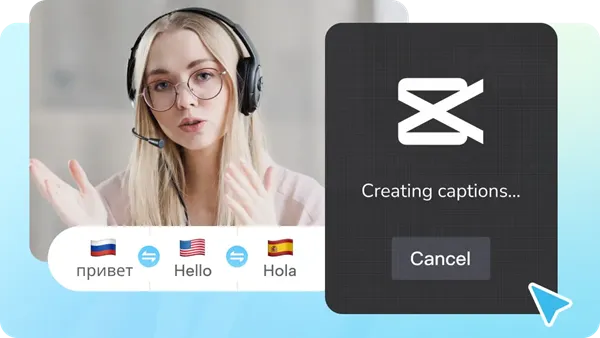
Having a written page is great for reading, but video editors need to know the exact second each word happens on screen. Smart tools build a timecoded transcript that connects every sentence to the matching moment on your video timeline. This feature makes creating closed captions simple and fast. Instead of dragging tiny text boxes across an editing track by hand, the software lines everything up automatically so viewers watching on mute can follow every single word without missing a beat.
Easy Ways to Speed Up Your Daily Content Workflow
You no longer need an expensive computer or heavy desktop programs to turn recordings into clean documents. Today you can handle the whole job right inside your regular web browser.
Using a Browser Tool to Transcribe Video to Text Fast
Switching between a media player and a blank document wastes time and breaks your focus. A much easier approach is using an online workspace that keeps your footage and written words in the same window. When you use a reliable browser tool to transcribe video to text online, the platform reads your uploaded clip and puts an editable script right next to your video preview in seconds. Clicking any line jumps the video straight to that exact moment so you can check a word. Having a built-in subtitle generator beside your text editor saves hours of work.
Turning One Video Recording Into Blogs and Social Posts
Once you have an accurate written version of your video, you can get much more value from every recording. Writers and small teams rely on written scripts for content repurposing every week. Instead of staring at a blank page, you can take the script from a twenty minute talk, add headings, and publish a helpful blog post in half an hour. You can also pull quotes for newsletters. Adding written text also improves video accessibility for deaf and hard of hearing visitors.
Practical Habits to Get Cleaner Results Every Time
Even the smartest web tool works much better when you feed it a clear recording. Taking two minutes to prepare before hitting a record saves plenty of cleanup work later.
Recording Clear Voice Tracks From the Start
The simplest way to boost voice recognition accuracy is to keep the microphone close to the person talking. A basic clip on mic attached to a collar or a desk mic placed a few inches away captures a clear voice while blocking room echo. On group calls, ask everyone to wear headphones and speak one at a time so voices never overlap.
Doing a Quick Check Before Exporting Your File
No program knows how to spell every unusual name, local street, or custom product on the first try. Once the tool generates your script, spend two minutes scanning the paragraphs while the audio plays. Fix any repeated brand names with a quick search and replace. When everything looks clean, export your draft as a text file or download an SRT file format to upload straight to your video channel.





Comments 0
Leave a CommentSend Comment
Anda harus Login terlebih dahulu untuk dapat memberikan komentar.