
How to Make a Fashion Collection Teaser from Existing Photos
A fashion label may have excellent campaign photographs but no moving footage for its next collection announcement. A useful teaser can bridge that gap by revealing selected details over time, building anticipation without explaining every product. The challenge is deciding what should move, what should remain faithful to the photographs, and what information belongs in the final edit.
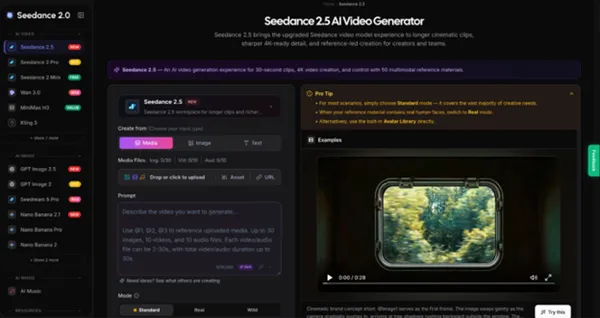
Hiring a crew for another shoot may be unrealistic when a launch date is close, while a slideshow can feel repetitive. Image-led video generation offers another way to explore movement and camera direction. A workspace such as Seedance 2.5 can support that visual-development step, using campaign images and written direction as inputs. Here is how to plan a collection teaser, review its accuracy, and finish it for social channels.
Decide What the Teaser Should Reveal
Before opening an editor, choose the teaser's single purpose. Is it announcing a release date, introducing a collection's mood, or drawing attention to one signature piece? A date announcement needs readable information, while a mood-led preview can withhold the complete silhouette until the last shot. Showing every garment and fabric detail weakens the message.
Write a one-sentence brief: “Introduce our autumn capsule through warm lighting, structured outerwear, and a final release-date card.” Select one hero outfit and two supporting details. Reserve the actual date and destination for the final edit, where small lettering can be controlled accurately.
Choose Photos That Support Believable Motion
Start with approved, high-resolution photographs of the actual collection. A full-body image establishes styling and proportion; a close-up can establish a distinctive seam, print, fastening, or accessory. Three photographs with complementary framing can provide more useful direction than fifteen loosely related images.
Inspect each candidate before uploading it. Are hands visible and clear? Is the garment edge separated from the background? Can viewers identify the pattern at its real scale? Cut-off sleeves and heavy blur leave gaps the generator may invent. Confirm permission to use the photographs and recognizable model likenesses.
Distinguish atmosphere from evidence. Generated fabric folds, fit, and movement may look plausible without accurately representing the manufactured garment. Use the teaser to express a visual concept, not to prove how a jacket fits. Keep original photography and verified measurements wherever shoppers need product information.
Map the Clip as Three Visual Beats
A storyboard gives the project a beginning, middle, and ending. For a roughly twenty-second concept, assign the opening to a recognizable mood, the center to garment details, and the ending to a memorable silhouette. The sequence should make sense without sound. Sketch three thumbnail frames and note the intended camera movement below each one; this exposes repeated compositions before generation begins.
Begin with a slow push toward a model in a quiet architectural setting. Follow with a close view of a coat's stitching or hardware, using an approved detail photograph. Finish on a wider composition with clean space for a release date. This creates progression through framing rather than complicated simulated fabric motion.
Mark which parts need genuine footage. If a collection depends on the swing of pleats, the stretch of knitwear, or a functional closure, record those demonstrations with the physical sample. A generated teaser should not be confused with a product demonstration.
Generate One Controlled Shot at a Time
Once the storyboard and references are ready, use Seedance for an image-to-video or reference-led generation pass. Upload an approved image cropped for the intended placement, then describe the movement and camera path. In image-to-video mode, the first frame determines the output aspect ratio. Generate a draft, then inspect it before making variations. Start with one hero image instead of a crowded reference set; add another reference only when it solves a specific consistency problem. The workspace does not replace editorial review.
Keep the prompt specific: “Use the supplied coat photograph as the visual reference. Maintain its original color, length, lapel shape, and buttons. Create a gentle camera push-in under soft morning light. The model remains mostly still; do not invent prints, accessories, or text.” These constraints make errors easier to identify but cannot guarantee accuracy. Compare results with the source photographs.
If a shot changes pocket placement or invents a fastening, do not hide the mistake behind fast transitions. Revise the reference or simplify movement. A camera move around a static pose may be safer than a turn exposing details absent from the photograph.
Finish and Review for Social Viewing
Bring selected shots into a video editor. Trim awkward starts and endings, adjust pacing, and add the collection name and release date as editable typography. Use music only with appropriate rights, and confirm the message works muted.
Prepare framing for each placement. For vertical viewing, keep garments and the date away from interface overlays. For a horizontal banner, check whether cropping removes important details. Preview on a phone screen, where small lettering can be difficult to read. Watch once at normal speed and once paused at shot boundaries: a distorted garment may be invisible during a quick first viewing.
Ask someone who knows the collection to compare the video against approved imagery, rather than merely judging its polish. A review should answer four questions:
- Does the garment retain its real color, silhouette, visible construction, and branding?
- Can a viewer identify the collection's mood and understand the release information?
- Are model likenesses, source materials, music, and generated assets cleared for the intended use?
- Does the clip still read clearly at mobile size and without sound?
If any answer is uncertain, revise the cut or replace the shot with an original photograph. After publishing, evaluate its purpose: saves or shares for awareness, visits for a launch announcement, or interest in the collection. Views alone cannot establish whether viewers understood the release.
Make the Next Launch Easier
A collection teaser begins with an editorial decision, not a complicated effect. Choose accurate photographs, build three visual beats, generate only supporting motion, and finish typography and sound in an editor. Compare each generated frame with the real garment to protect customer expectations while leaving room for storytelling.
Keep approved photos, the storyboard, prompts, and final edits together. That record helps adapt the concept for another channel or prepare the next release.




Comments 0
Leave a CommentSend Comment
Anda harus Login terlebih dahulu untuk dapat memberikan komentar.